Project background
Two projects that have to meet somewhere
On one side is an InMoov head: a physical project with servos, mechanical limits, and a controller. On the other is a desktop application that handles voice and software workflows. Robot Core is the umbrella for the work of connecting those without assuming the two halves are always available at the same time.
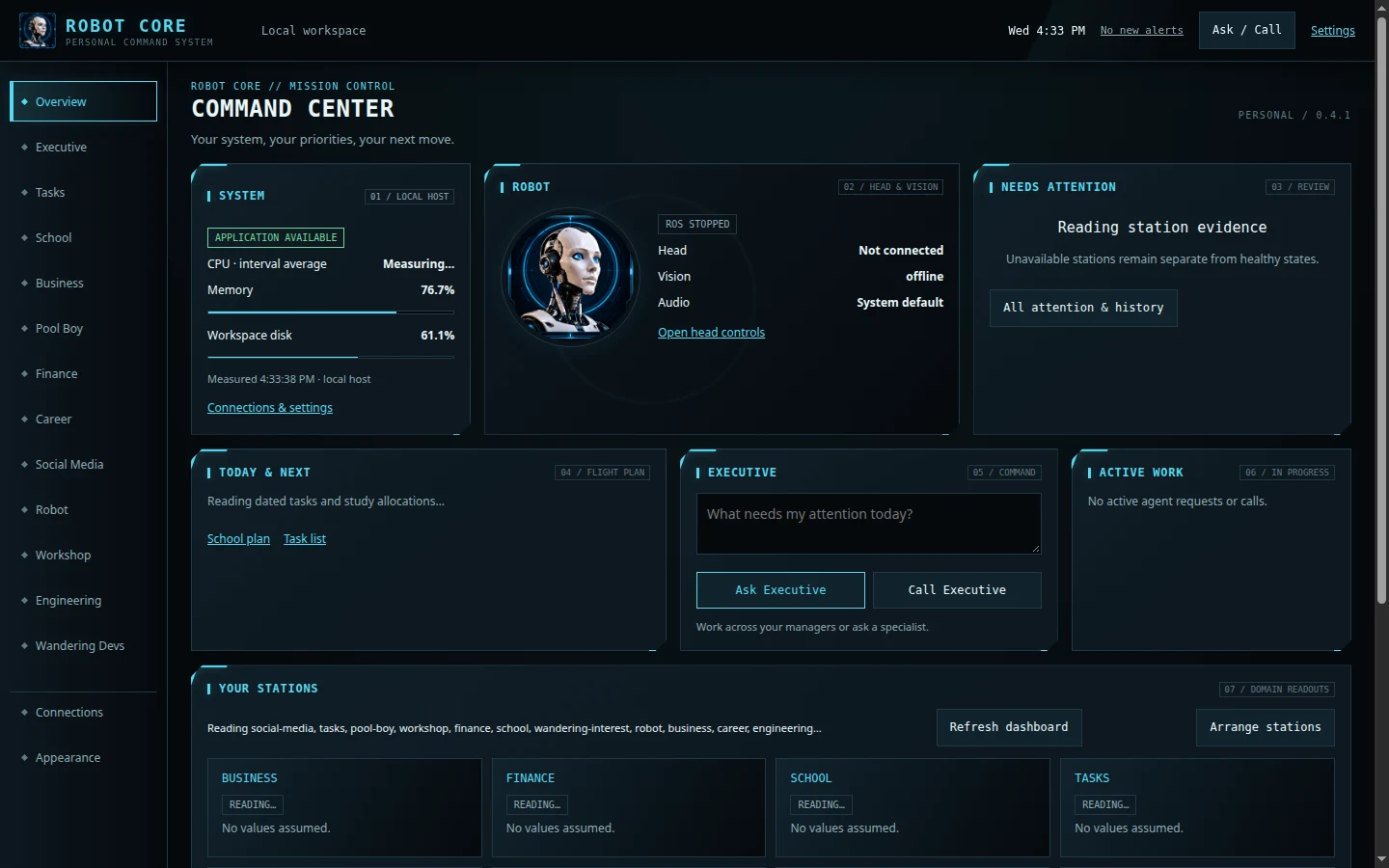
I’m building it as a personal project and test bench. The screenshot is the real command deck in an isolated demo workspace, not a promise about live features or a view into my private data.
Behind the project
Workshop buildOn the bench
I moved to a different InMoov head design when neck alignment made the first design a poor fit. I’ve worked on neck yaw and jaw travel, with bounded controls that let me test one motion at a time. In ROS 2 I model the joints and use visualization before tying more behavior to hardware.
At the desktop
The command deck separates the robot, the assistant, and the other software tools so each can report its own state. That matters when the desktop is online but vision is offline or an agent isn’t available. A single green light would make those failures look like success.
Between a request and a result
I want to be able to ask for something by voice and then see what the system tried, what it changed, and what it couldn’t verify. The interesting design work is in the boundary: which component owns a change, which actions need review, and what feedback the user gets when an action cannot go through.
 Wandering Interest